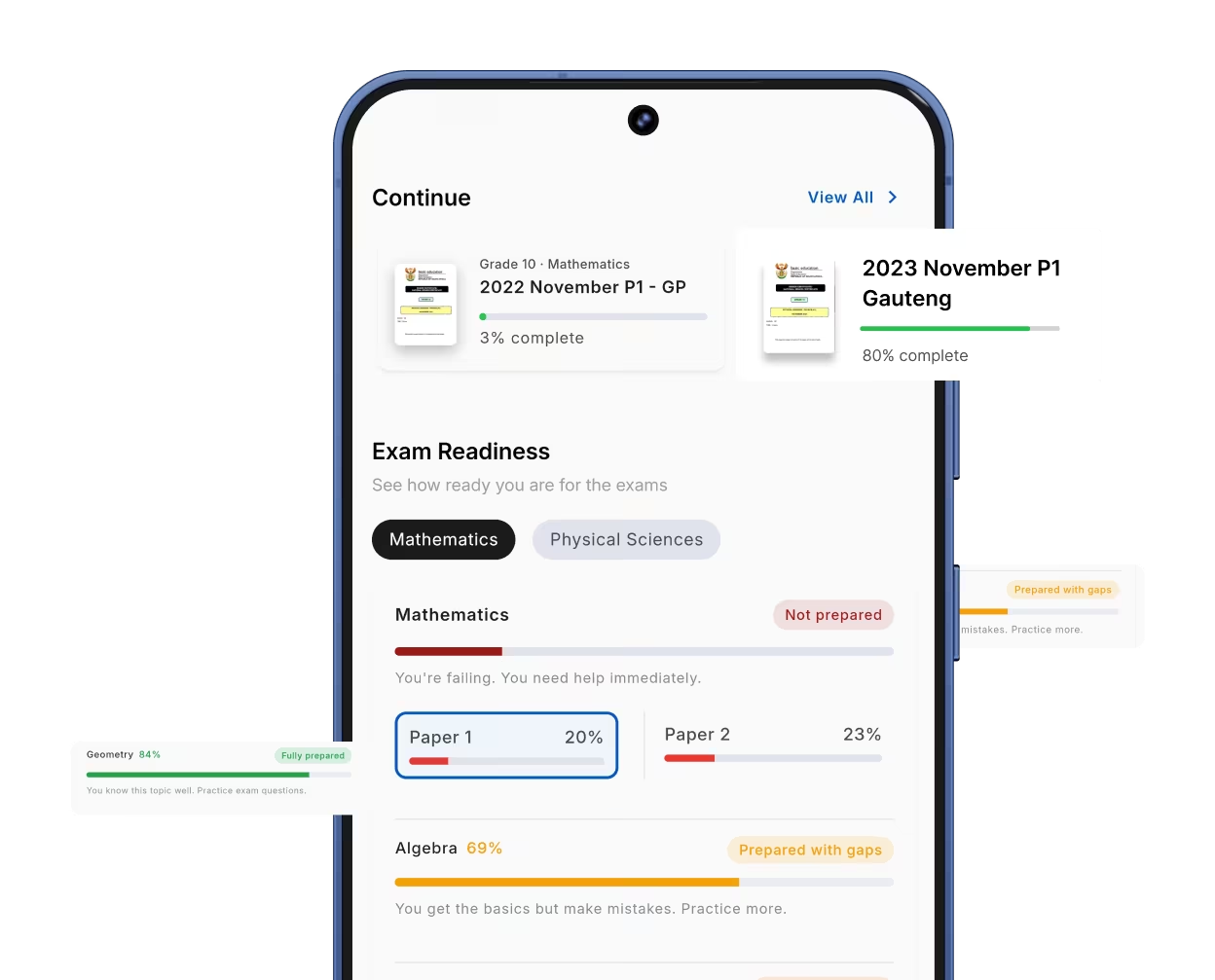
No clear focus
You study hard but do not know what to study most.
After each paper, tick what you got wrong. The app shows you the topics that lose you marks. Now you know what to study first.
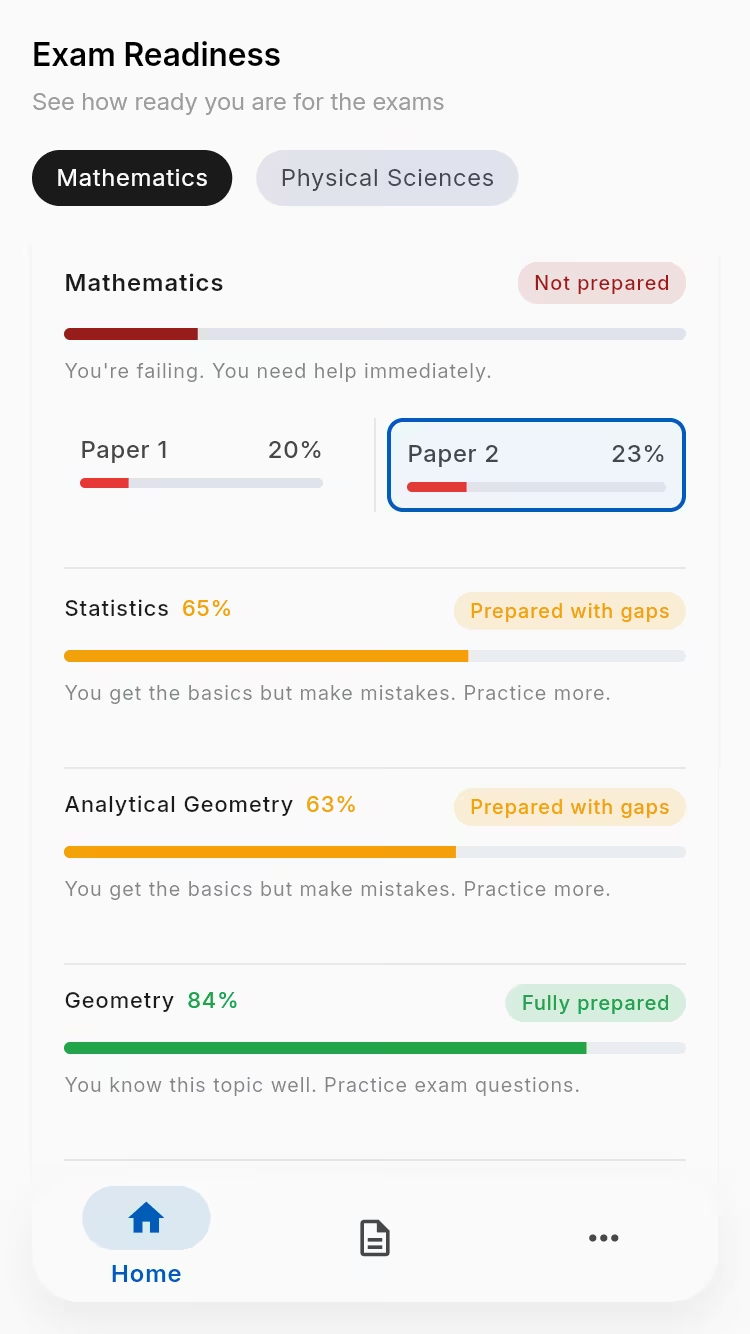
Problem
You need an easy way to see what to study next.
You study hard but do not know what to study most.
You keep getting the same topics wrong, and no one shows you which ones.
Before an exam, it is hard to know if you are ready.
How it works
From doing a paper to knowing what to fix.
Work through a full paper in the app.
Tick what you got right and wrong. It is quick.
The app shows you the topics to work on.
Benefits
Here is what the app does for you.
Work on your weak topics, not everything.
Spot the same mistakes across papers and stop making them.
Know how ready you are before each exam.
A quick look
Real screens from the app.
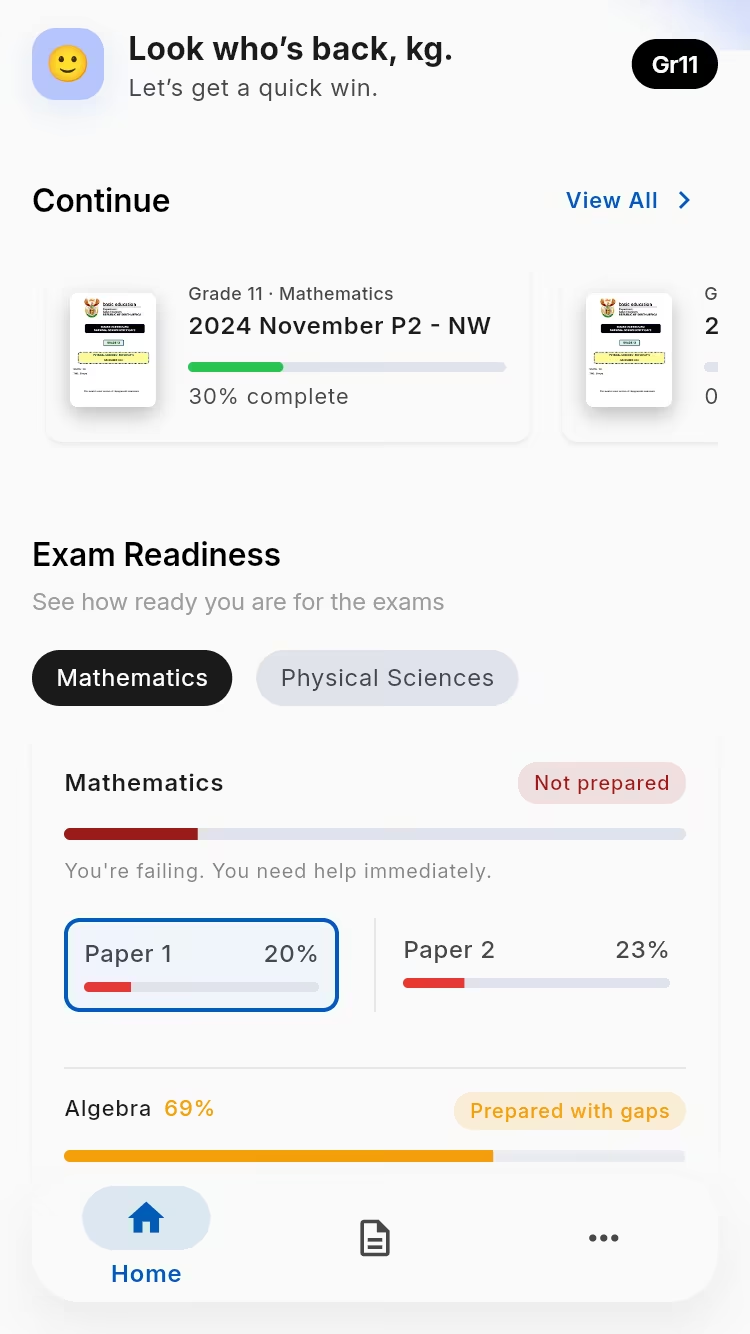
Your home screen
Your weak topics
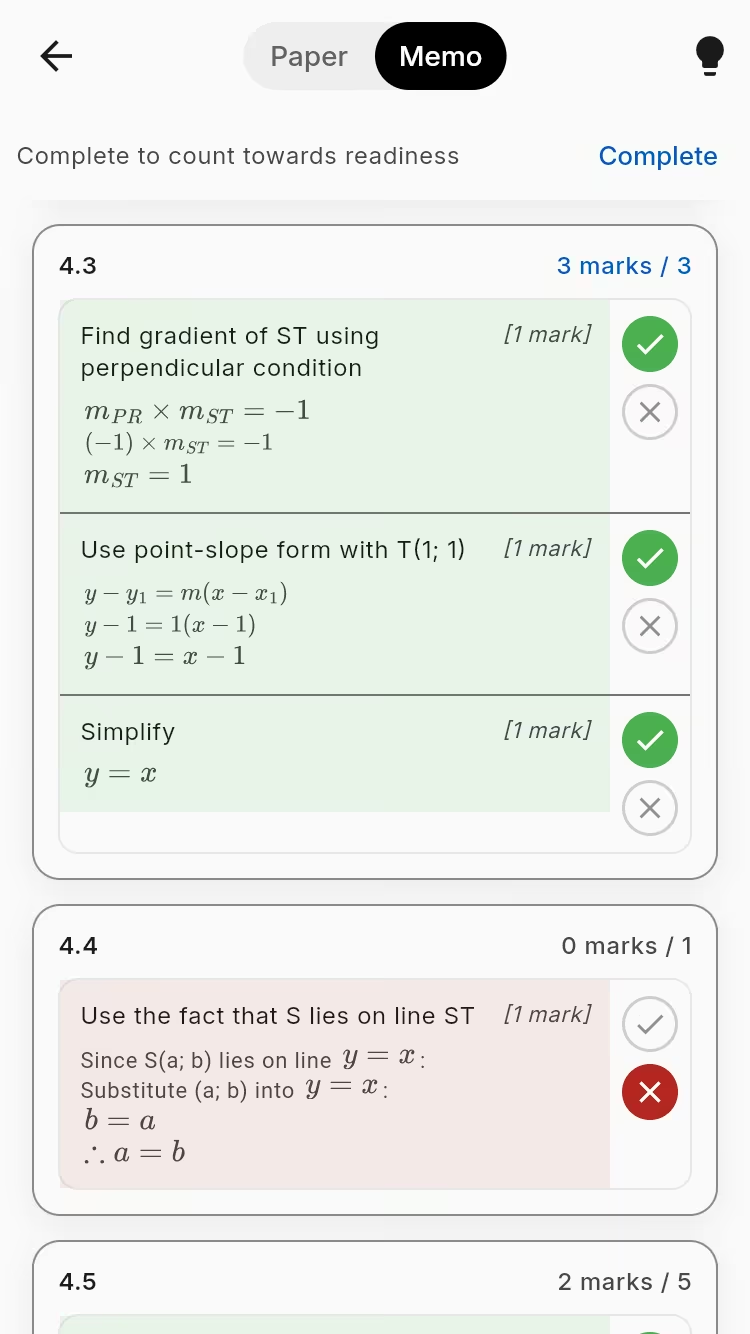
Marking a paper
Quick answers now. Real help on WhatsApp when you want a human.
Grade 10 and 11 Maths and Physical Sciences. It follows CAPS.
Ready to start
Get NavyBlue and see which topics to study before your exams.
Download free on Google Play